Review
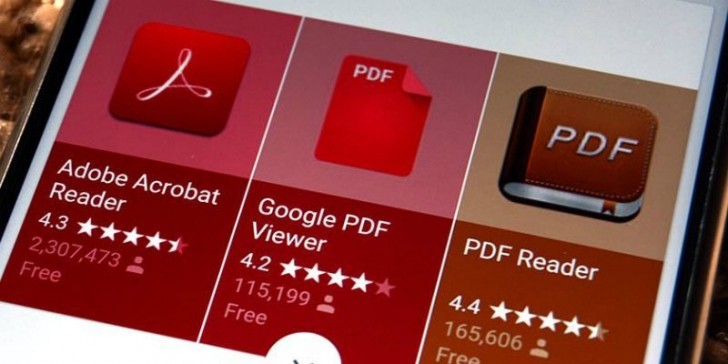
Adobe Reader is the official adobe program to edit and work with pdf documents, it is a very complete program although a large part of its tools are only available in its paid version. You also have the possibility to try it for 30 days for free. We are going to review some of its editing tools so that you can fully master the program and see its possibilities.
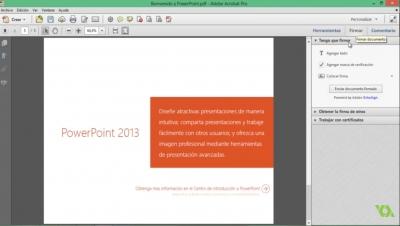
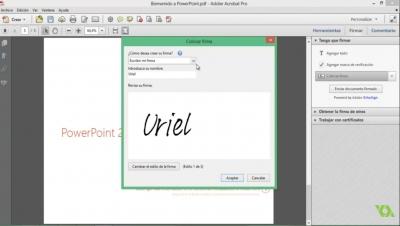
One of the free options that acrobat reader includes is to add text to fill out forms, for example, when you have opened the pdf document you must go to the tool, fill out and sign. This tool allows you not only to add text wherever you want but also to mark boxes in a very simple way or insert circles, lines and points that you can place wherever you want and change their size as you wish; You can also add signatures digitally wherever you prefer.
One of the most powerful tools of Adobe reader is the conversion of pdf documents to word documents, excel, powerpoint and many other formats, to do this open the pdf document and export pdf, in this tool you must choose the output file you want and soon you will! A pdf file converted to what you need. It is undoubtedly one of the most interesting payment tools in Acrobat reader.
To delete, insert, extract, add or rotate pdf pages with Adobe Reader you have to pay the subscription or be using the program in trial mode. When you have opened the pdf document you have to go to the "organize pages" tool. Rotating the pages can be done from the document preview, to delete a page select it and click on delete; To replace a specific page select it and click replace, now you must choose which pages you want to replace from 2 to 4 for example.
If what you want is to extract a page once you have selected it, click on extract, you have two options to delete the page after extracting and extract the pages as separate files, select the one you want and hit extract! You already have the document separately.
Inserting pages depends on what you want to insert, when you click on the tool you will see all your options: insert from file, from the clipboard, scanner, web page or include a blank page. If you choose to insert a page from a file you must decide the page you want to add, then you can reorder that new page wherever you want just by dragging and moving it. At the end remember to save the document so as not to lose the changes.
To add a bookmark in Adobe Reader you have to go to the bookmarks tab, then select the word that will mark the beginning of your bookmark, go to the button add new bookmark, once done change the name of the bookmark if you see it necessary, then already you will have the marker created! Create bookmarks only as possible in the paid version. But remember that you have a 30-day trial with the program.
A very useful tool for Adobe Reader, which you can enjoy in its paid version or in its trial version, is to modify the text. If you want to change any part of the text, it is possible only using the "edit pdf" tool. When you open it you will see that any context line is highlighted and it is possible to start changing it as you would normally do in any word processor.
Surely when you download Adobe reader you will be interested in having it in your language or you may want to change it. To change the language in Adobe reader you must go to edit, there you look for the preferences option and click, when you have found the language section you will see that it has 3 options, the current language, decide the language at the next start of the program and use the same operating system language.
The case is that if you have not previously installed the program in other languages, these options will not work for you, instead you have to go to the control panel, uninstall the program and once you have found an adobe reader version in your language, When you have done it you will see that changing languages only requires a restart.
Adobe reader is a super useful tool recognized worldwide for its easy and simple to use. If you don't have it, what are you waiting for? Go and Download it to start enjoying its benefits now.