Review
Google One is here to revolutionize Google Drive, the cloud storage platform already has its paid service for those users whose basic free service falls short. Users have a certain limit of free gigabytes to upload and have all your documents in one place, but now they also have this premium service, with a monthly subscription in which they give you greater capacity to save them.
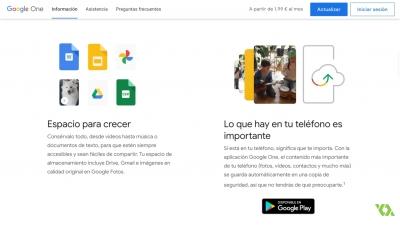
Until now, if you wanted to hire more space, this was done directly from Google Drive and was exclusively for the use of this platform, separating itself from other company services. Currently it is separated and transformed into Google One, which is practically a storage service, of any type of file, not just documents and broadens horizons with other Google tools, such as Photos and Gmail.
This new Google tool centralizes the management of the space that is contracted and then adapts it to the other extensions. The storage it has will be the one you use in the rest of the brand's products, being divided between them as it was until before the appearance of Google One.
All those users who want to access Google One and from the company invite to try all the advantages that this application provides us. You can download the application for free from the Google Play Store or App Store.
To start using it is as easy as clicking on the option to Acquire more Storage on Google Drive or from its own website one.google.com, here they will show you all the rates that you can choose, those that are cheaper and that are the ones that most users hire, but they are not the only ones, if you click on More options you will have the rest of the prices.
Previously, storing 2 terabytes on Google Drive had a higher cost than today, in addition to changing the name and giving you a couple more, it will be cheaper. But if this were not enough, the annual payment will make it a little cheaper still.
Includes a 200 gb plan, which did not exist before, at a very affordable price. By hiring 2 terabytes you now pay the same as before you paid for 1 terabytes. But choosing a plan in Google One does not mean that it is forever, to change what you have contracted you just have to go to your application and click on More storage, in the same menu as before, you just have to click Update. To help you in the decision, the one you are using will appear next to each one so you can compare the prices and what you would get with the change.
You have technical support available 365 days a year, 24 hours a day, in all the languages that Google supports. For the use of Google One, we will have exclusive discounts such as credits on Google Play, Google Store or special discounts on hotels. In addition, those who use it in the family plan will have exclusive discounts.
Google One can be shared with up to a maximum of 5 people, where each one will receive 15GB predetermined and the rest of the contract will be shared among all, sharing access to the documents of the drive. The good thing is that you can also save your contacts.
Remember that to use any Google product it is necessary to have an account and log in. In case you don't have one, it's easy to create it by having an email.
Within Google One we have different alternatives of the unit where the documents, photos and the highlights that we have made are stored, we also have a recycle bin if we want to delete any file that we no longer need.
If we want to upload a new file to the Google One cloud, we simply have to click on the + icon, or again, and you can select a file, folder, documents, spreadsheets, etc., from here you can also decide with whom You want to share these through the visibility and access level options. We will share our work with those to whom we are interested in sending the files.
To be able to share a file we must select it, click on the share icon, add the email of the person with whom we want to share it and decide between the different preferences we have if we want the person who receives it to be able to comment on it, modify it or just see it. . Once selected, you just have to send the invitation to be able to share it, depending on our choice, the person who receives it will have more possibilities of editing the file.