Review
Created by Apple, iMovie is a video editing tool. It is the mobile version of your computer program. As part of the iLife Macintosh suite of apps, it allows users to edit their own movies professionally at home.
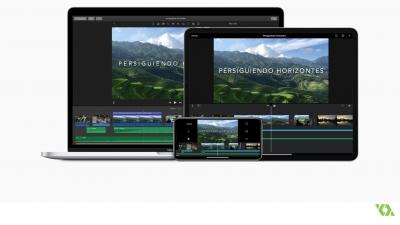
Its first version dates from 1999, although the mobile version did not appear until 2010, when it was released for the iPhone 4. Mounting a video from this type of device is something that had not been considered, but its incorporation has revolutionized this sector. Keep in mind that it has integration with the Apple Metal API, which gives direct access to the graphic processing of the iPhone and iPad. This makes all tasks running with the program faster and of higher quality.
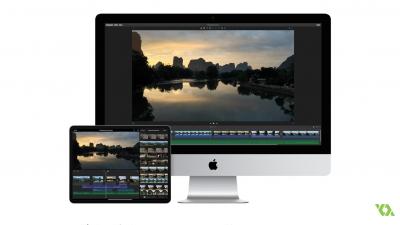
The iMovie application is available for free in the App Store, making it one of the favorite tools of users, since it allows you to become a film director from your own mobile phone, free of charge and at low consumption. It can be used in most devices of the brand so the files and projects are compatible and can be used interchangeably.
This application allows you to view, create, edit and export videos in different formats, taking advantage of all its resources and a lot of free properties. Over time, the apple brand has been improving and adding features, it has 14 templates that we can use to make trailers, using the typography and appearance of the films on which they are based. These can be recorded directly from the application.
Now we can navigate through all the projects we have in iMovie in full screen, to see them better and access them easily. Another novelty is that it allows you to send a piece of the videos through Mail or by iMessage.
At the time of inventing a film we can select one of its eight themes and customize all its aspects, including the titles, music and video effects you want, among these we can use a slow motion or one called image by image. iMovie has in its gallery ten filters designed by Apple that will give a very personal touch to your creations.
But you can not only mount through the images you have in your gallery or even record them from the app, you can also create your own music, using the sound effects they include and creating a perfect soundtrack for the videos.
When the iMovie saw the light, what caught the most attention was the simplicity of its interface. With a very intuitive aesthetic, it helps the user to edit their movies in a very easy way. Its mobile mode was not going to be less, with this version the problem was raised if we use the same program on different devices, we may lose project information. For this reason, they have launched a series of improvements in this regard, such as being able to transfer creations quickly and easily between devices using AirDrop or iCloud Drive. So by not saving them only locally or having to use an external device, we make sure that we will not lose anything of the projects we are working on.
Projects can also be transferred and even viewed on our televisions using iMovie Theater, and thanks to AirPlay we are allowed to stream with the creations we have.
iMovie is an application that keeps updating, adding new features, one of the latest innovations has been being able to do it in 4K resolution.
To create your own movie you just have to open the app, take the option to start a new project and bring out your creative side. Add all the clips you want to be part of your creation, start retouching them in the timeline, put the music and effects you want. Once it is as you want, you simply have to give it to export or share, and you already have your video!
iMovie has become a professional alternative to video editing, Jonathan Caouette's film Tarnation is fully edited with iMovie and was screened at the 2004 Cannes Film Festival.