Review
Children have more and more access to multimedia content through mobile devices and tablets on YouTube, which is why Google has created a special app for them and with which parents are much calmer.
The YouTube Kids application offers them a great variety of content, you can download it for free in the Google Play Store and the App Store and that you can see on multiple devices, such as mobile phones, Smart TVs, game consoles, etc. In it, you also have the assurance that the little ones will not see those that are inappropriate for their age, this makes it a reference platform for children.
It is the children's version of the most used video social network, everything is adapted, even the one created by the users themselves, which are controlled with advertising. In it, you can have a profile for each one, so that each one has the programs they are watching and gets the recommendations to be selected individually. To create them is very easy, once you have the application installed, you just have to enter your Google account and create as many as you need from Settings. One of the advantages of YouTube Kids is that it has its own timer, with which you will control the time of use made of it by setting limits.
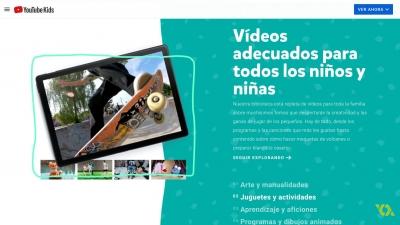
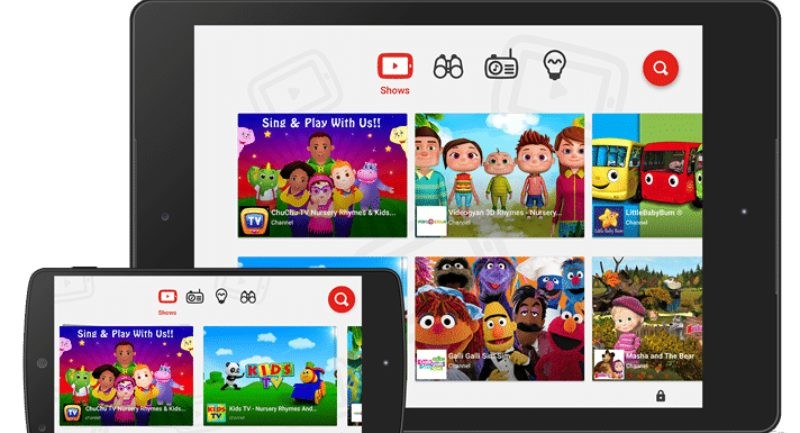
With a colorful environment, you will find a very user-friendly platform, adapted to your target audience, which makes you very friendly with its striking effects and image-based navigation. It is the children themselves who will be able to navigate through it regardless of whether or not they can read yet. By sliding to the right and left you will navigate according to their age range and at the top you will have at your disposal a menu where you will find all the channels that you have available categorized.
As in her older brother, there are videos that have ads. To make them disappear, parents can subscribe to YouTube Red, the little ones can watch them without interruptions and even with the possibility of watching them without an Internet connection. What you find in this application is divided into several categories in which you have Shows, short videos of children's programs, Music, with children's songs of all times, the Learning section, with educational videos and Explore, where you have endless content created by other users who are classified as childish.
Although it seems that it is made exclusively for them, it is not like that, it is still part of YouTube, it is parents who have to configure it so that their child sees what she wants. What the company does is use a series of automated values and user contributions so that it is filtered and thus channel those that are marked as content for children, although there may be some that skip this point, that is why from the platform itself They do not stop warning that other inappropriate ones may appear, allowing them to be blocked and reported before they can be seen.
YouTube Kids offers adults a number of parental control tools. It is found in the grown-up-only section, where, as its name indicates, it can only be seen by adults, who will have to enter a security code. From your own Google account you will have access to all the profiles that you have created, select the user to which you want to add some control. Among the permissions that you can grant is that of being able to search or not in the app, this is very important if you want to prevent your children from being in the wide world of the platform that are not appropriate for their age. From here you can also clear your history or pause it, which will change the way videos are viewed in the app. By adding an age range you can filter the topics that are displayed, this is complemented by the words you have searched for and what has already been seen. The brand itself is also working to keep its application clean of offensive images and improve it, for this it has changed its privacy policy. Every time a video is reported on the main platform, it will automatically be censored in the children's version, something that gives parents much more security.
YouTube Kids is one of the best applications with children's content, being the largest, and it comes to offer children high quality programs and videos, in which they themselves decide what they want to see.